JavaScript Exercises Basic#6 - Finding odd numbers from array
Updated

You will be given few numbers in an array. Write a program which returns the sum of ODD numbers in array and the smallest ODD number.
Solution
We need two variables, sum and min. Initialize sum with 0, and min with a huge random number. Javascript has a static property of the number object 'Number.MAX_SAFE_INTEGER'. It will return the safe integer value(2^53 - 1).
function solution(arr){

             let sum = 0;
             let min = Number.MAX_SAFE_INTEGER;
}
Using for...of statement, iterate over the array and find odd numbers(if the remainder is not 0 when divided by the 2, it means the number is odd). If it's an odd number, add that into the variable sum.
function solution(arr){

             let sum = 0;
             let min = Number.MAX_SAFE_INTEGER;

             for(let x of arr){
                 if (x % 2 !== 0){
                     sum += x;  //sum = sum + x;
  }
}
We also have to decide which one is the smallest among odd numbers. If the number is odd and smaller than the value of variable min(it'll be always true in the first search because a maximum safe integer is stored in min now), replace it with that number.
function solution(arr){

             let sum = 0;
             let min = Number.MAX_SAFE_INTEGER;

             for(let x of arr){
                 if (x % 2 !== 0){
                     sum += x;  //sum = sum + x;
                     if (x < min) min = x;
                 }
             }
Print min and sum to the console!
function solution(arr){

             let sum = 0;
             let min = Number.MAX_SAFE_INTEGER;

             for(let x of arr){
                 if (x % 2 !== 0){
                     sum += x;  //sum = sum + x;
                     if (x < min) min = x;
                 }
             }

             console.log(`The sum of odd numbers is ${sum}.`);
             console.log(`The smallest odd number is ${min}.`);
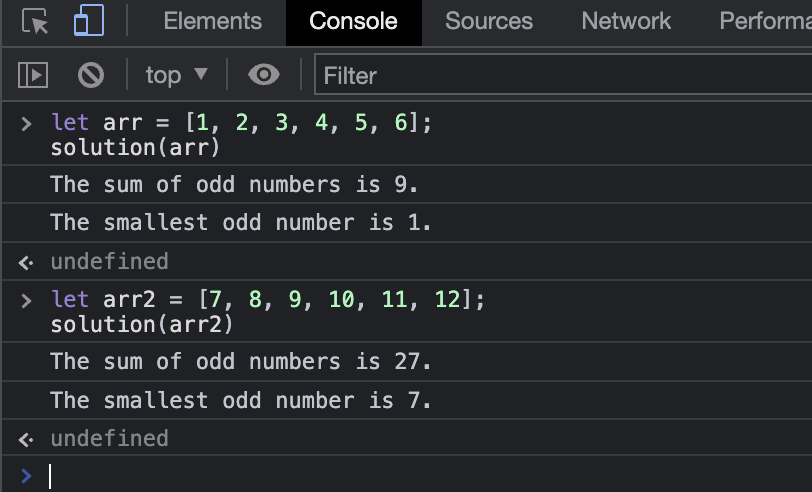
Result